
Every tank named
Main propulsion, generator, tender or dinghy, auxiliary and transfer. Capacity, fuel type and level belong to each tank individually.
Every pump, filter, breaker, valve and mount aboard, recorded once and findable in seconds — from a label on the unit itself, from a diagram, or from a map of where things are stowed.
Print a QR label. Stick it on the unit. From then on, the record is wherever the equipment is — which is the only place you ever actually need it.
One label at a time on any printer, or batch sheets and Epson label exports on Cruiser and above.
Point your phone at the label. No signal needed — the record is already on the device.
History, manual, parts, photos, warranty, cost and the vendor who last touched it.
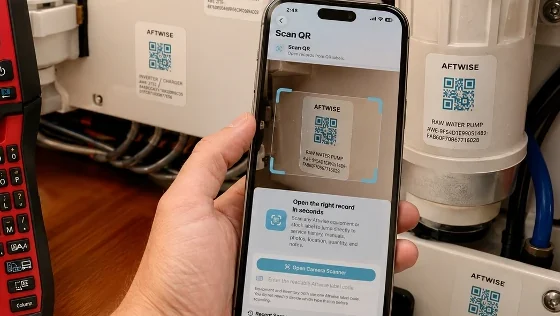
The reason boat records fail is not that owners are lazy. It is that the record lives on a laptop in the saloon and the problem lives in the engine room, and nobody carries the laptop into the engine room.
A label closes that gap. The question you actually have — what size is this impeller, and when did I last change it? — gets answered where you are standing, with greasy hands, in about the time it takes to pull your phone out.
Labels survive heat, damp and engine-room life. Replace one and the record it points at is untouched.
Hours come off the meters, and the meters move whenever you record ending hours; closing out a trip is simply the usual way that happens. Stop a tracked generator run and AFTWISE offers an ending reading worked from the starting hours and the time it ran — offered, not written: you can type over it, and the meter on the machine is the one that counts.
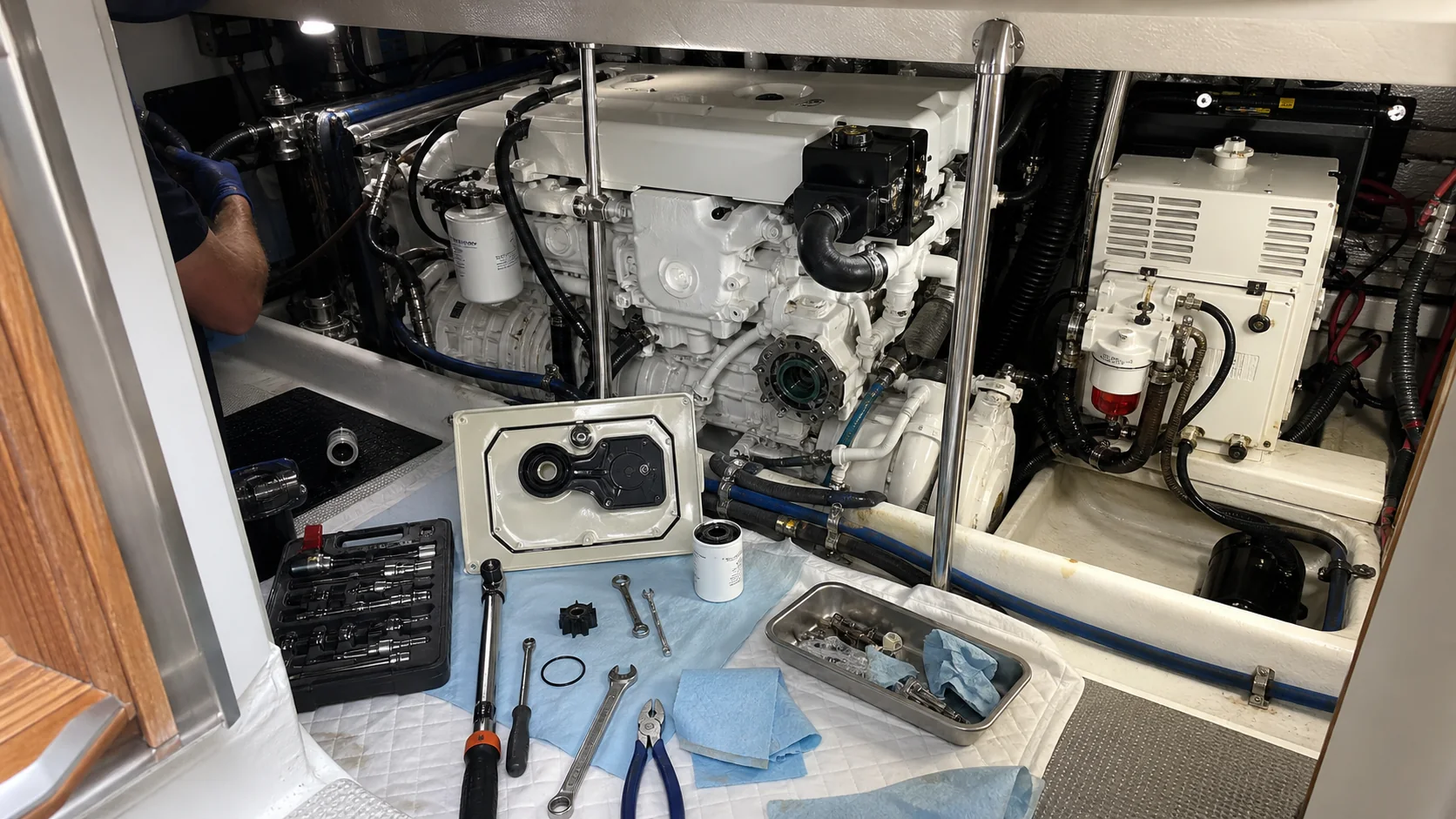
Twin mains that never draw down evenly. A generator on its own day tank. A tender that takes gasoline while the boat takes diesel. One capacity figure and one fuel type cannot describe any of that.
Main propulsion, generator, tender or dinghy, auxiliary and transfer. Capacity, fuel type and level belong to each tank individually.
If the boat carries both diesel and gasoline, AFTWISE says so — and names both. The moment of risk is at the fuel dock, and that is not a display problem.
Main-tank percentage is weighted by capacity. A 400-gallon tank at 25% and a 100-gallon at 75% is not “half full”, and AFTWISE will not tell you it is.
A declared reserve is held back from usable fuel. And with no consumption figure recorded, you get no range figure at all rather than an invented one.
A gasoline express boat with a diesel generator aboard. The main tanks are counted toward range; the generator’s day tank is tracked separately, because it cannot move the boat.
On Aftwise Cruiser and Captain, pump-outs are logged here too. Where you pumped out — found with the same marina search the trip forms use — the trip it belonged to if one was running, and what it cost.
Enter a dollar amount and it files itself as an expense under a category of its own, rather than disappearing into dockage, so “what do pump-outs actually cost me over a season” becomes a question with an answer. Delete the record and the expense goes with it. Set an interval of your own and, once there is a pump-out on record to count from, the next one becomes a dated task in Alerts and on the Calendar, with a reminder; clear the interval and they go.
The log is a Cruiser feature. The rule is not. Readiness & Compliance carries the marine sanitation requirement on every plan, from Aftwise Owner up: an installed toilet needs an operable, certified device, and inside a No Discharge Zone the overboard path or Y-valve has to be secured so discharge cannot happen. A law about your holding tank does not care what you paid us.
Fresh water keeps the same discipline. Capacity and a dated level per tank, entered as a percentage or as gallons aboard, and days remaining appears once you have told it what the boat uses in a day, not before.
The tender keeps its own books. Its outboard has its own hour meter and service interval, separate from the main engines, and fuel you mark as the tender’s stays out of the boat’s fuel totals while still counting as an expense.
Batteries and solar have a log of their own. The Energy & Battery Log takes the readings you type from your own monitors — solar per day by weather, charging by source, overnight use, the lowest charge — and keeps a summary; AFTWISE reads no battery monitor or controller itself. On Aftwise Captain the Cruising Summary carries the same figures for the period.
Fuel levels are recorded as observations, so the newest reading wins — fuel falls while you burn it and rises at the dock. Engine hours work the other way and only ever move forward. A generator sharing a main tank does not get a tank of its own; AFTWISE never invents a tank that is not aboard.
Record what the engines actually burn at each setting you run — the RPM, the gallons per hour, and the speed you saw. Two settings is enough to draw the chart.
The curve shows up in two places: on the Fuel screen as a range chart, and on the trip map as the setting the range rings are drawn at — the legend names which. Slowing down is the cheapest range you can buy, and this is the screen that tells you how much of it you get.
Included in Aftwise Owner and every plan above it.
On the trip map, AFTWISE draws your fuel as three circles around where you are now — the same numbers as the Fuel screen, in the shape the decision actually has.
You can redraw them at any throttle setting in your burn curve, which answers the question every owner actually asks halfway across: can I make it if I slow down? The legend always says which setting is on screen.
A trawler at cruise, with the tanks it has aboard today. The rings run to the Great Lakes and past Bermuda because that is genuinely how far the fuel goes — and a circle knows nothing about the coast it crosses.
The rings need three things you recorded yourself: cruise consumption, cruise speed, and a tank level. Miss any one and no ring appears at all — the control stays switched off until they are there. It is the same rule the numeric range follows, drawn a second way.
They also need a live position, and the controls stay switched off until you give them one. A ring answers “how far can I get from here, now” — and both halves of that are live: where the boat is this minute, and the fuel aboard this minute. That holds even when the map underneath is an old one. Open a recorded route, take a fix, and the circles you get describe today rather than that passage.
Main tanks only. Every tank carries a role — main, generator, tender, or auxiliary and transfer — and only the mains feed capacity, endurance, range and the rings. A generator running off a main tank is a flag on that tank rather than a tank of its own, and that fuel still counts, because it really can move the boat.
Its own registration. Its own tires. And bearings that wear by the mile towed, not by the hours the boat ran.
Make, model, year and VIN, with the registration number, state and expiry kept beside the boat’s own. An expired trailer registration is flagged for what it is — the same question as the boat’s: what is this thing, and is it legal to move?
Axles, capacity, coupler ball size, brake type, tire size and load range — plus the DOT date on the tires and on the spare. Trailer tires almost always age out before they wear out, and the date is the only thing that tells you.
Record the miles towed and the mileage at your last bearing service, set the interval, and the trailer page shows how far you have run since and how far is left. Engine hours are the wrong meter for a wheel bearing; this counts the right thing.
A figure you look at when you open it, not an alert; put the hubs and brakes in Equipment if you want the reminders.
Pre-Tow Inspection, Launch at the Ramp, and Retrieve and Post-Trip — 45 steps between them, covering bearings, tire age, lights tested with the boat actually loaded, the drain plug in both directions, and clean-drain-dry.
These checklists are examples to start from, not official or approved procedures. You decide what is right for your boat, your crew and your waters: change any step, add your own, or delete what does not apply. Follow your manufacturer’s instructions, the law, and your own judgment.
What gets serviced — hubs, bearings, brakes, tires — belongs in Equipment, where it picks up maintenance scheduling like anything else aboard. The registration card and the insurance go in Vessel Documents, where the expiry feeds Readiness & Compliance. One trailer, filed in the three places that already do those jobs, rather than a fourth system that half-does all of them.
Trailering is in every plan, from Aftwise Owner up.
Pre-Tow Inspection, one of the three. Twelve of its seventeen steps carry a critical marker — bearings, tires and lights among them, because those are the three that end a trip on the shoulder.
Two ways of answering where is it: a map of the spaces aboard, and a drawing of the systems that run between them.
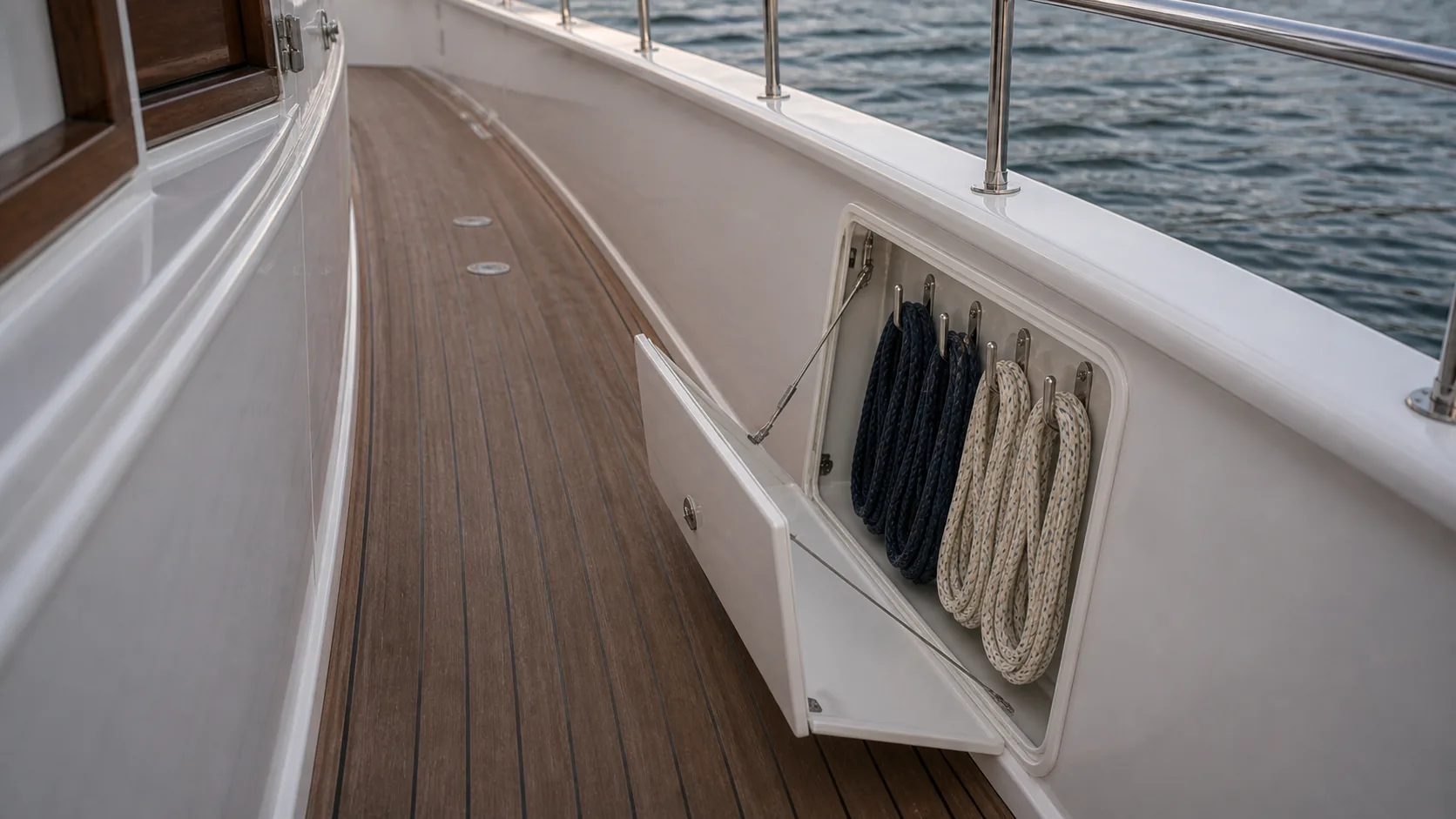
Lay out the spaces aboard — lockers, lazarette, engine room, forepeak — and store records in them. Open a location and you see exactly what is in it, and the count on the box equals the number of things listed under it.
You are not handed an empty deck, and you are not handed somebody else’s boat either. AFTWISE gives a hull the decks it actually has, named for that hull. A center console opens on Deck & Cockpit, Console & Head and storage — one deck, not seven. A sportfish keeps its foredeck, because owners file ground tackle there, and its aft deck is called the Cockpit & Mezzanine. A trawler gets all seven, because a trawler has all seven.
On a small boat the drawing is laid out bow-forward, the way the boat is: casting platform up front, console and helm amidships, leaning post and livewell aft, transom at the back — with the T-top drawn as an overhead spanning the console. Then you shape it from there: rename a space, move it, resize it to its real span.
A hardtop, bimini, radar arch or awning is drawn as a dashed outline over the space it covers rather than a box beside it — so the helm underneath stays reachable, and you move the structure by its label instead of fighting it for the tap. It is a plan drawing with a layer above the cut, not a flat floor plan. The fittings sit on it too, and the ones with a real footprint are drawn to the size you gave them rather than shown as a marker — berths, tables, bench seating, deck and cabin chairs, the galley, a wardrobe, the nav desk, a tub, the swim ladder, the livewell, a tender on its davits. A genset or an EPIRB keeps its badge, because a rectangle the size of a genset tells you nothing the badge did not. A VHF antenna on the hardtop is a separate thing from the radio at the helm, because they fail separately and they get serviced separately.
The fittings you actually service are on the drawing as well — fuel fill, freshwater fill, pump-out and engine fittings. A fitting can be flipped left-for-right or duplicated where a boat carries a pair, pinning a record to a place is a search rather than a scroll, and the shared list of places includes a Lower Helm for boats that have one.
Equipment, Inventory and the map share one vocabulary of places, so a location typed in one workspace matches a box in another. Store something somewhere new and AFTWISE tells you where it used to be, rather than moving it silently.
If your own records already name places the drawing has not got, it offers to bring them across in one press. An Undo Last Change steps back one edit at a time, and a Reset menu puts the starter layout back, empties a single deck, or empties every deck — none of which ever touches a record.
Placing something on the map is not a map fact — it writes the location onto the record itself. Move down a plan and the map view goes; every location you set stays on your equipment and stock, where it always was. The deck drawing, and where each pin sits on it, is what lives only on the map — and it waits there if you come back.
The flybridge hardtop is selected, and the panel beneath lists everything its badge counted — the solar array, the satellite terminal, the weather receiver and the thermal camera, each with its own record number. The number on the box is a count of what is actually filed there, not a label somebody typed.
Draw or import the systems that matter — DC distribution, fuel, raw water, bilge — and connect the drawing to the equipment records it depicts.
The value shows up at 2am when a breaker trips and you need to know what else is on that circuit, or when a mechanic you have never met needs to understand your boat in ten minutes rather than two hours.
Conductors are drawn in the ABYC E-11 colors, and each run names its conductor — red DC positive, yellow DC negative, green bonding, black AC hot, white AC neutral, orange for an accessory feed — so the drawing reads the way the engine room does. It is a drawing aid for your own diagram, not a compliance ruling: older boats and imports carry other schemes, so record what is actually aboard, and verify before working on any circuit.
A run that is not a conductor, a data drop or a discharge hose, is drawn in neutral gray and says so rather than borrowing a color it has no right to. Tap any wire to name it and set its conductor in one step, tap a box and choose Draw Wire From Here to connect it to another, and undo or redo whole actions rather than pixels. AFTWISE routes each wire around the boxes for you, and if you do not like where one went, Reroute steps to the router’s next-best path.
To add a box, draw a rectangle on the grid where you want it and choose what it is: the box appears where you drew it, at about the size you drew. When one system outgrows a sheet, a box can continue on another page. It shows an arrow, its bar offers a jump to that page, and the printed diagram says “continues on” and names the page. Blocks carry drawn symbols — battery, switch, bus bar, tank, valve, pump, engine, generator, solar panel, inverter/charger, display — and a crowded diagram prints on two pages, with To Page and From Page tags where a wire crosses over. The starter diagrams name no fuse type or rating; those are yours to specify for your boat.
The one beside this is seventeen components and eighteen labeled runs, and the run from the NMEA backbone to the helm displays is drawn in neutral gray and says so, because a data run is not a conductor and takes none of the standard colors. Boxes drag on the canvas and the wires redraw as they move, and the finished drawing prints or exports as a PDF you can hand to whoever is doing the work.
Everything aboard that isn’t bolted down: tools, safety gear, galley, linens, electronics. With locations, quantities and value for the insurance record. (Owner)
The impellers, belts, filters and anodes you carry, tied to the equipment they fit — so “do I have a spare for this?” is a lookup rather than a search of four lockers. (Cruiser)
Food, water, fuel additives and consumables with quantities that draw down as you use them, and a shopping list that builds itself from what’s low. (Cruiser)
Copy what fits from the demonstration boat, or import the spreadsheet you already keep — AFTWISE suggests which column is which, and nothing is written until you press Import.
Getting started The import guide